






L I V E 4 . T V

Live stream on Facebook

Go live on Facebook via RTMP from OBS, vMix or similar

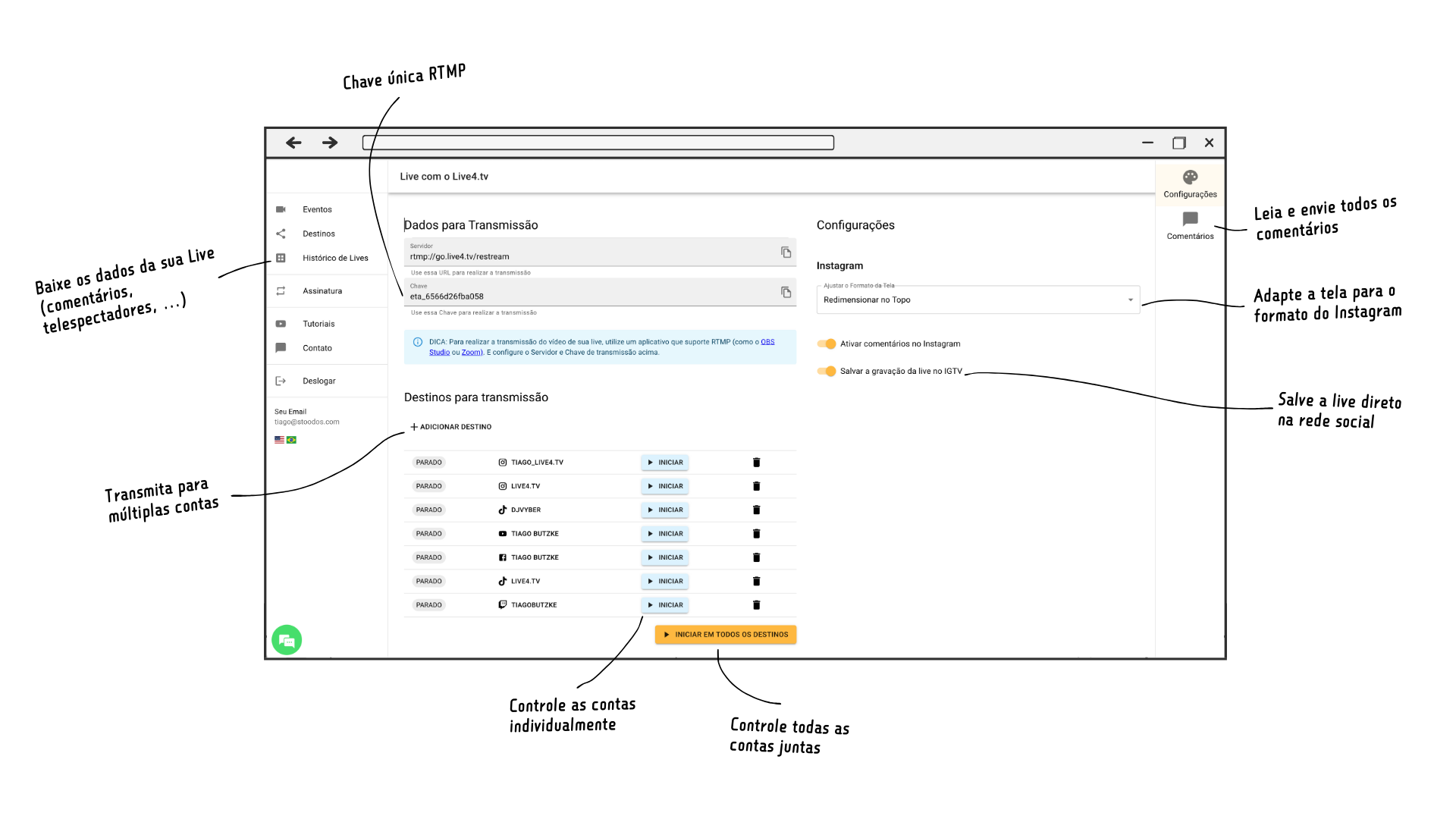
Imagem do Studio mostrando destacando as funcionalidades principais
13

Get better results from your live streams with Live4.tv.

Just sign up, add your social networks and start going live to a bigger audience.

09

Multiple Facebook accounts

Go live on multiple Facebook profiles and Pages, while also streaming to other networks such as Instagram and TikTok.
With a single RTMP key.

10-1

Facebook screen format

Stream in Facebook’s screen format and Live4.tv will take care of converting your screen to the TikTok and Instagram format.

11

All comments in one place

Follow and send messages from all your Facebook profiles and Pages and the other networks you are streaming to, all from the same Live4.tv chat.

ils_02
14
ils_03

Want to grow the audience of your live streams?

Live4.tv is an app for managing live streams across multiple social networks, including Facebook, Instagram, YouTube, Twitch, TikTok and any RTMP destination. With a simple, intuitive interface, the app lets you stream all kinds of content, such as masses, church services, political events, games, podcasts and more.

Yes. All plans include a 7-day free trial. During the trial you will need to choose a payment method, but you will not be charged anything. The first charge is only made after the 7 days if you do not cancel your subscription.

Yes, you can cancel your plan at any time directly at https://studio.live4.tv/#/plan. Even after cancelling, your access stays active until the end of the current billing period

Yes. You can log in to different Facebook accounts and add the profile and Pages from several accounts. (Groups are not available: Meta ended live streaming to groups from third-party apps.)
And you only need to stream to a single RTMP key; Live4.tv takes care of the rest.

10
10
43 1

Go Live

Free for 7 days