
Learn how to run professional live streams
Guides to make your live streams better

How to go live on Twitch, YouTube and Instagram at the same time
In this tutorial I will teach you how to go live on Twitch from a PC or Mac using OBS Studio with Live4.tv.
Continue reading
Live4.tv launches a custom, ultra-powerful streaming server
Since we started Live4.tv, our vision has been to offer you the highest-quality live streaming service on the market. And that includes providing the best streaming server. And today we took another big step. It's with great pride and joy
Continue reading
How to stream from Zoom to Instagram, Facebook and YouTube
Zoom is a great tool for streaming lives with 3 or more people, slide presentations, screen sharing, etc... In this tutorial I'll explain the simplest way to stream from Zoom to Instagram, Facebook and YouTube at the same time.
Continue reading
How to stream from Stream Yard to Instagram
If you already use Stream Yard and have always wondered how to stream a live from Stream Yard to Instagram and also keep the recording saved on your profile, you are in the right place.
Continue reading
How to fix your live screen format on Instagram and TikTok (horizontal to vertical). This is how it works in 2023!
On YouTube and Facebook the picture is horizontal, but on Instagram and TikTok it’s vertical. How do you adjust the screen? That’s the biggest headache for anyone who wants to go live on all these social networks at once. So
Continue reading
How to use your phone as a webcam and save money
In this article I will show you how to use your own phone, or several phones, as a webcam to capture the video for your live streams. We will stream with OBS Studio to multiple social networks at the same
Continue reading
5 simple steps to live stream your church services on every social network. Better quality, lower cost!
The cheapest and easiest way to reach a wider audience for your church services, with excellent stream quality.
Continue reading
How to go live on Instagram, Facebook and YouTube at the same time. Straight from your phone!
In 3 very simple steps I'll show you how to go live on YouTube, Facebook, Instagram, Twitch, TikTok, … at the same time - straight from your phone. No computer needed.
Continue reading
Finally! How to go live on Instagram, Facebook, YouTube, TikTok and Twitch at the same time
5 simple steps to go live on YouTube, Facebook, Instagram and Twitch at the same time - without putting extra load on your CPU or internet bandwidth. It's possible!
Continue reading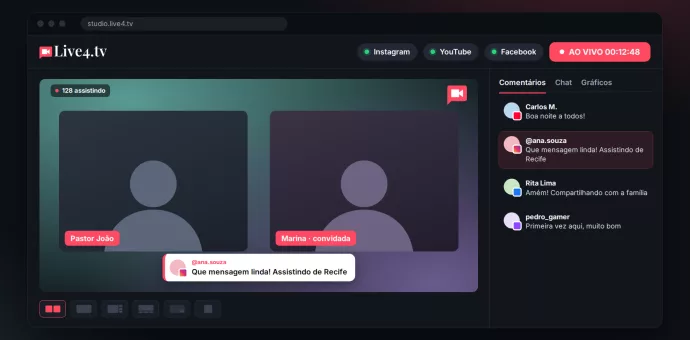
Live stream with guests without OBS: the easiest way
No more VDO.Ninja and OBS scenes: invite guests by link in Live Studio and stream to every network at the same time, right from your browser.
Continue reading